
★ Top Pick — EQ
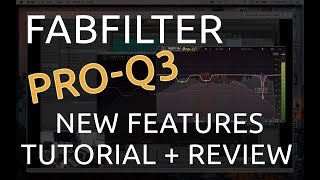
FabFilter Pro-Q 3
$179 · FabFilter.com
The Pro-Q 3 is the EQ plugin that every professional mix engineer has installed. It's not one of several options — it's the standard. Dynamic EQ mode, mid-side processing, spectrum analyzer, and zero latency linear phase mode all in one interface so elegant it redefined what DAW plugins should look like.
Why it made the list
We don't recommend one EQ above others lightly. The Pro-Q 3 earns the top spot because it covers every EQ scenario: surgical notching, musical shelving, sidechain-triggered dynamic EQ, and mastering-grade linear phase processing. Most producers who buy it within the first week wonder how they mixed anything without it. The interface — drag to place nodes, hover to see, click to adjust — is so intuitive it feels like it should have always existed this way.
Deep Dive — Who It's Really For
The ideal buyer: Any producer who mixes their own music, and any engineer who wants the industry-standard EQ on their sessions. The Pro-Q 3 is in the plugin folder of virtually every professional mixer working today.
Dynamic EQ is a game changer: The built-in dynamic EQ mode means you can attenuate harsh frequencies only when they appear — not constantly. That low-mid boxiness that only shows up when the vocalist pushes? Dynamic EQ handles it transparently, without making the vocal sound thin the rest of the time. This used to require a separate dynamic EQ plugin. Now it's built in.
Is it worth $179? Yes. Here's the math: the Pro-Q 3 replaces a parametric EQ, a dynamic EQ, a mid-side EQ, a spectrum analyzer, and a linear phase EQ. Buying separate tools for each of those categories would cost $400–$800. The Pro-Q 3 does all of them, does them better, and has the best interface of any of them.
Pros
Industry-standard — used by everyone Dynamic EQ built in Mid-side processing mode Best EQ interface ever designedCons
$179 — premium price No analog character — clinical sound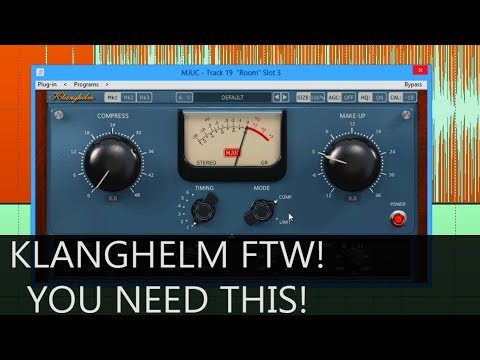
Essential — Compression
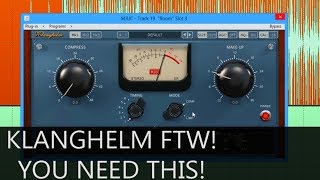
Klanghelm MJUC Jr.
Free — klanghelm.com
Free. That's the first thing to know. The MJUC Jr. is a simplified version of Klanghelm's paid vari-mu compressor — and it's genuinely one of the best free plugins ever made. Vari-mu compression is the sound of classic Fairchild and Manley hardware: musical, organic, with a "glue" that makes tracks sit together naturally.
Why it made the list
Most free compressor plugins sound like afterthoughts. The MJUC Jr. sounds like someone made a conscious decision to give producers something real. It doesn't have a threshold control (vari-mu behavior handles gain reduction automatically based on signal level), which means the learning curve is low but the results are immediately good. Put it on a vocal and it just works — smooth, musical, with just enough character to be interesting without being obvious.
Deep Dive — Who It's Really For
The ideal buyer: Every producer. It's free. Put it on your vocal channel, your drum bus, your mix bus — anywhere you want cohesion rather than technical control. MJUC Jr. is the musical compression choice when you don't want a compressor to sound like a compressor.
Vari-mu explained: Traditional compressors react to peaks. Vari-mu (variable mu) compressors use tubes that naturally increase gain reduction as the signal gets louder — the response is smoother, more gradual, more like how a human engineer would ride faders. The result is compression that "breathes" rather than "pumps." It's the texture on classic recordings from the 1960s–80s.
When to upgrade to the full MJUC: When you want more detailed control — timbre modes, manual threshold adjustment, and more compression character options. The Jr. is a permanent fixture; the full MJUC ($29) is a power-user upgrade worth having eventually.
Pros
Completely free Vari-mu character — sounds musical Low CPU — works on every track No threshold knob — very simpleCons
No threshold control — less precise Only one timbre mode (vs full MJUC)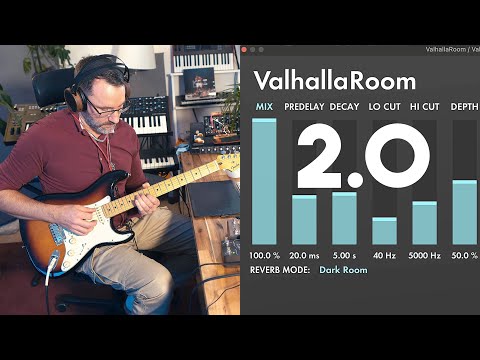
Essential — Reverb
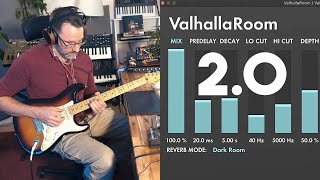
Valhalla Room
$50 · valhalladsp.com
The $50 plugin that embarrasses hardware reverb units costing $2,000. Valhalla Room is the reverb on most professional records released in the last decade, and it costs fifty dollars. The algorithm is so good that "Valhalla Room" is now shorthand for the specific sound of contemporary professional mixing.
Why it made the list
Valhalla DSP makes reverb algorithms with an obsessiveness that borders on academic. The Room algorithm specifically models the diffusion behavior of actual acoustic spaces — not samples, not convolution, but mathematical models that respond musically to your signal. The result is reverb that enhances a sound rather than drowning it. It disappears into the mix while doing its job, which is the highest compliment you can pay a reverb plugin.
Deep Dive — Who It's Really For
The ideal buyer: Any producer or engineer who uses reverb — meaning all of them. If you're using the stock reverb in your DAW, you're leaving quality on the table. Valhalla Room costs $50 and sounds better than reverbs that cost $500.
How to use it properly: The key parameter most beginners ignore is Pre-Delay. Set 20–40ms of pre-delay on your vocal reverb and suddenly the dry vocal pops forward, with the reverb following just behind. This separation is what makes records sound professional rather than washed-out. Valhalla Room's pre-delay implementation is silky smooth.
Other Valhalla plugins worth knowing: ValhallaDSP makes several reverbs. Valhalla Vintage Verb has a more colored, '80s character. Valhalla Shimmer is specialized for lush ambient spaces. Room is the general-purpose workhorse — start here, add others as needed.
Pros
Industry-standard sound at $50 Disappears into mix — never washy 12 algorithm modes + flexible controls Extremely low CPU usageCons
Utilitarian GUI — not visually striking No convolution (impulse response) mode
Essential — Saturation
Softube Saturation Knob
Free — softube.com
One knob. Three modes (Keep Low, Neutral, Keep High). Free. The Saturation Knob is the quickest way to add analog warmth and harmonic color to digital recordings without the complexity of a full saturation plugin suite. It's been a studio staple for a decade because it works on everything — drums, synths, vocals, the mix bus.
Why it made the list
Digital recordings sound clean. Sometimes that's the goal. But "clean" often translates to "thin" — lacking the harmonic density that analog gear adds naturally as a byproduct of its circuitry. The Saturation Knob adds that density back in. Keep Low mode protects the sub frequencies from saturation (great for bass and kick); Keep High protects high frequencies (great for cymbals and air). Turn the knob slightly right on every track in your session and suddenly everything feels more cohesive and tape-like without being obviously "distorted."
Deep Dive — Who It's Really For
The ideal buyer: Every producer who makes music on a computer and wonders why their mixes don't have the "feel" of the records they love. The answer is usually saturation — and the Saturation Knob is the free solution.
How to use it correctly: Subtlety is the key. You don't want to hear the saturation — you want to feel it. Start with the knob at 9 o'clock (roughly 25%), in "Keep Low" mode for bass-heavy elements, "Neutral" for midrange instruments, "Keep High" for anything with high-frequency content you want to preserve. The goal: your mix sounds more cohesive before it sounds "distorted."
Stack it with other tools: The Saturation Knob pairs perfectly with MJUC Jr. — put MJUC Jr. for dynamic control, Saturation Knob for harmonic texture. Together they recreate the signal processing chain of an analog console: musical compression followed by subtle harmonic enrichment from the console's output stage.
Pros
Completely free Works on everything — drums to mix bus Three frequency protection modes Zero learning curve — one knobCons
Limited character variety (one saturation type) No internal meteringRelated Tools