★ Top Pick
Ableton Live Intro
Price history
We have been recording this product's price at its dealers since July. Player members see the 90-day trend, what it has been at its highest and lowest, and whether today is actually a good day to buy it.
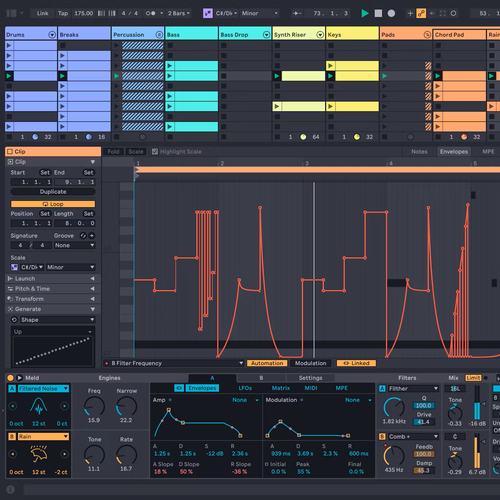
Ableton Live changed how music is made. Session View lets you launch loops and clips in real time, building arrangements spontaneously rather than drawing on a timeline. For producers who think in loops, samples, and patterns (electronic, hip-hop, pop), there's nothing else that works this way. The Intro version at $99 gives you everything you need to learn the workflow, with 16 audio/MIDI tracks and a solid instrument library. When you're ready, upgrade to Standard or Suite.
Why it made the list
Ableton Live changed how music is made. Session View is revolutionary; it lets you launch loops and clips in real time, building arrangements spontaneously rather than drawing on a timeline. For producers who think in loops, samples, and patterns, there's nothing else that works this way. The Intro version at $99 gives you everything you need to learn the workflow, with 16 audio/MIDI tracks, a solid instrument library, and the best MIDI workflow of any DAW. The learning community is massive: thousands of YouTube tutorials, courses, and forums dedicated to helping beginners get started.
Deep Dive: Who It's Really For
The ideal buyer: Electronic producers, beat makers, and live performers. If you think in loops and patterns rather than linear arrangements, Ableton is your DAW. The learning curve is real but worth it: once you internalize Session View, every other DAW's workflow feels limiting.
Session View vs. Arrangement View: Session View is where Ableton shines. You build musical ideas as clips, trigger them in any combination, and when you find a combination that works, record it into the Arrangement View for linear editing. It's a two-step workflow that encourages experimentation in a way that timeline-only DAWs simply can't match.
When to upgrade: Start with Intro ($99). If you hit the 16-track limit, Standard ($349) removes it and adds Analog. Wavetable and Operator are Suite only, so those two mean Suite ($749). Ableton offers upgrade pricing, so your Intro purchase counts toward the cost.
▶ Featured Review
Video Reviews & Tutorials

Learn Ableton Live 12 in 2026 - FULL COURSE
Tutorial

The Ultimate Ableton Live Beginner Tutorial (2024 Edition)
Tutorial

The NEW Ableton 12 Beginner Guide (in 22 Minutes)
Tutorial
Don't Panic! Ableton Live Explained in 37 minutes or less // Tutorial
Tutorial
Pros
Session View is revolutionary for beat-making Massive sound library included Best MIDI workflow of any DAW Huge learning community and tutorialsCons
$99 for Intro (limited to 16 tracks) Arrangement View less intuitive than timeline DAWs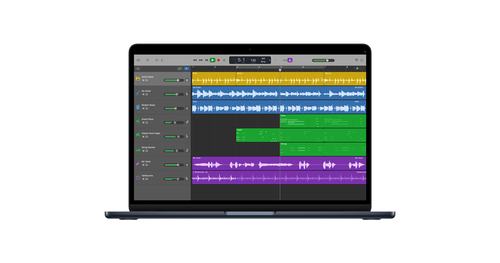
Best Free Option
GarageBand
Free · Rating 4.7/5
Price history
We have been recording this product's price at its dealers since July. Player members see the 90-day trend, what it has been at its highest and lowest, and whether today is actually a good day to buy it.
GarageBand is the most underrated production tool in music. Apple ships a full DAW (with virtual instruments, amp simulators, a drum machine, and the brilliant Drummer track) for free on every Mac and iPad. The Drummer track alone sets it apart: an AI drummer that responds to your song's energy and plays realistic patterns in dozens of genres. If you own a Mac, there's zero reason not to start here.
Why it made the list
GarageBand is the most underrated production tool in music. Apple ships a full DAW (with virtual instruments, amp simulators, a drum machine, and the brilliant Drummer track) for free on every Mac and iPad. The Drummer track alone sets it apart: an AI drummer that responds to your song's energy and plays realistic patterns in dozens of genres. If you own a Mac, there's zero reason not to start here. And when you outgrow it, every GarageBand project opens directly in Logic Pro with zero conversion issues.
Deep Dive: Who It's Really For
The ideal buyer: Complete beginners, singer-songwriters, and anyone exploring production on a Mac or iPad. GarageBand's interface is clean and approachable without being patronizing; it teaches you real DAW concepts that transfer directly to Logic Pro and other professional tools.
The Drummer track is genius: Instead of programming MIDI drums or searching for loops, the Drummer track gives you a virtual session drummer that listens to your song. Adjust complexity, loudness, and pattern style with an X/Y pad, and the drummer responds musically. It's the fastest way to get realistic drums in a song without knowing anything about drum programming.
The Logic Pro upgrade path: When you hit GarageBand's limits, which are the mixing tools and the missing pro instruments rather than plugin support, Logic Pro ($199, one-time purchase) opens every GarageBand project natively. All your tracks, instruments, and arrangements carry over perfectly. No other DAW ecosystem offers this seamless an upgrade path.
▶ Featured Review
Video Reviews & Tutorials
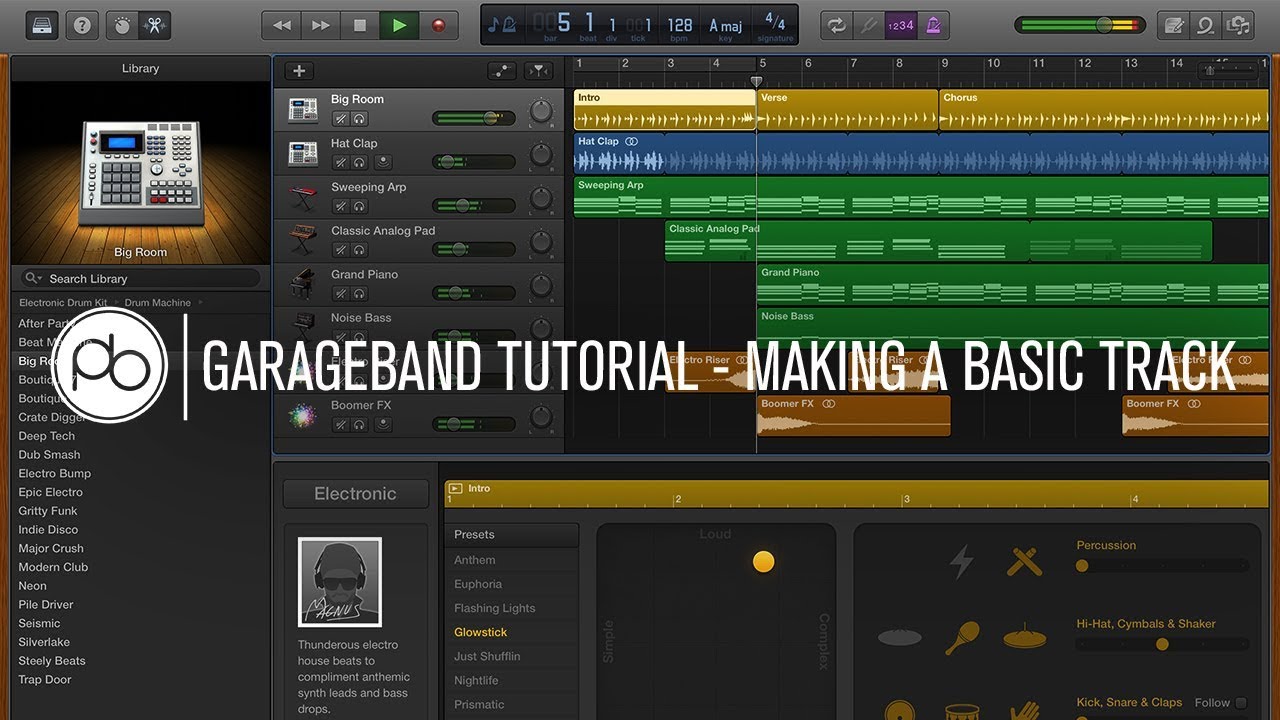
Garageband Tutorial: How to Make a Basic Track
Tutorial
GarageBand Tutorial for Beginners
Tutorial
PRO in GarageBand vs BEGINNER in Logic Pro!
Comparison
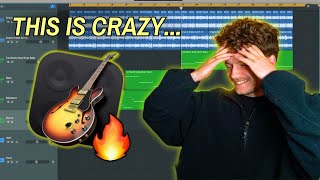
Make a BANGER Song From Scratch in Garageband in 2025
Review
Pros
100% free on Mac and iPad Surprisingly deep instrument library Drummer track is genius Seamless Logic Pro upgrade pathCons
Mac/iPad only (no Windows or Android) Limited mixing tools No third-party plugins on iPad, and Audio Units only on Mac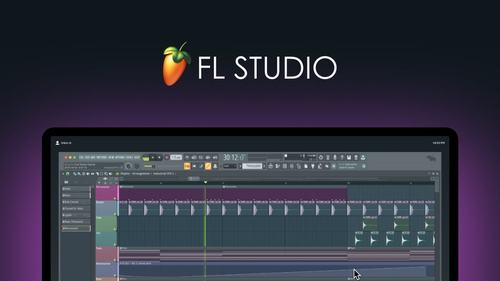
Best for Beat Making
FL Studio Fruity Edition
Price history
We have been recording this product's price at its dealers since July. Player members see the 90-day trend, what it has been at its highest and lowest, and whether today is actually a good day to buy it.
FL Studio has produced more hip-hop hits than any other DAW. The pattern-based workflow (build drum patterns, layer melodies, arrange into a song) is how beats are made, and FL Studio's Step Sequencer makes it visual and immediate. The lifetime free updates policy is genuinely generous: buy FL Studio once and every future version is free. No subscriptions, no upgrade fees, ever.
Why it made the list
FL Studio has produced more hip-hop hits than any other DAW. The pattern-based workflow (build drum patterns, layer melodies, arrange into a song) is how beats are made, and FL Studio's Step Sequencer makes it visual and immediate. The lifetime free updates policy is genuinely generous: buy FL Studio once and every future version is free. No subscriptions, no upgrade fees, ever. That alone makes it a standout in an industry that's moving toward subscriptions for everything.
Deep Dive: Who It's Really For
The ideal buyer: Hip-hop, trap, and electronic producers who think in patterns. If your workflow starts with a drum pattern and builds from there, FL Studio's Step Sequencer will feel like home from day one. The YouTube learning community is the largest of any DAW; you'll never be stuck without a tutorial.
Fruity vs. Producer vs. All Plugins: The Fruity Edition ($99) does everything except record audio. If you're making beats with samples and virtual instruments, that's fine. If you want to record vocals or guitar, upgrade to Producer ($199). All Plugins ($499) adds every Image-Line instrument and effect. Start with Fruity; the lifetime free updates mean your upgrade investment carries forward forever.
The Step Sequencer advantage: Other DAWs make you draw MIDI notes on a piano roll. FL Studio's Step Sequencer lets you click boxes to build drum patterns visually: kick on 1 and 3, snare on 2 and 4, hi-hats on every eighth note. It's the most intuitive way to program beats, and it's the reason FL Studio dominates in hip-hop production.
▶ Featured Review
![FL Studio 2024 - Tutorial for Beginners in 11 MINUTES! [ COMPLETE ]](https://img.youtube.com/vi/QYjNgtDEwII/maxresdefault.jpg)
Video Reviews & Tutorials
![FL Studio 2024 - Tutorial for Beginners in 11 MINUTES! [ COMPLETE ]](https://img.youtube.com/vi/QYjNgtDEwII/mqdefault.jpg)
FL Studio 2024 - Tutorial for Beginners in 11 MINUTES! [ COMPLETE ]
Tutorial
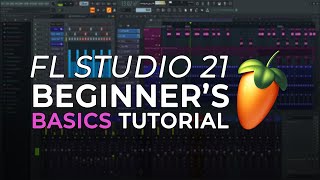
FL Studio - Complete Beginner Basics Tutorial
Tutorial

FL Studio Beginners Guide 2024 |Basic Things You Should Know
Guide
Pros
Lifetime free updates (buy once, update forever) Pattern-based workflow perfect for beats Step Sequencer is intuitive and visual Massive online community and tutorialsCons
Fruity Edition can't record audio (upgrade to Producer) Mixer routing less intuitive than competitors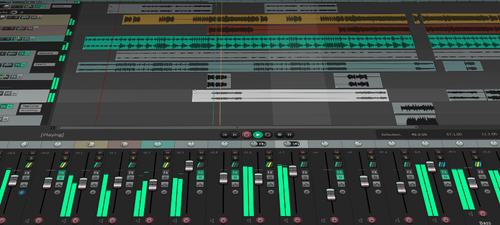
Best Budget Pro DAW
Reaper
Price history
We have been recording this product's price at its dealers since July. Player members see the 90-day trend, what it has been at its highest and lowest, and whether today is actually a good day to buy it.
Reaper costs $60, has no track limits, no feature restrictions, and runs on a 10-year-old laptop. It's the most powerful DAW per dollar by a massive margin. The catch: it's ugly and intimidating. Where Ableton and FL Studio guide you with beautiful UIs, Reaper gives you a blank canvas and expects you to figure it out. But once you do, there's nothing it can't handle, from recording a podcast to mixing a 200-track orchestral score.
Why it made the list
Reaper costs $60, has no track limits, no feature restrictions, and runs on a 10-year-old laptop. It's the most powerful DAW per dollar by a massive margin. The catch: it's ugly and intimidating. Where Ableton and FL Studio guide you with beautiful UIs, Reaper gives you a blank canvas and expects you to figure it out. But once you do, there's nothing it can't handle. The customization is infinite: you can remap every shortcut, retheme the entire interface, and write scripts that automate repetitive tasks. It's the Linux of DAWs: maximum power, minimum hand-holding.
Deep Dive: Who It's Really For
The ideal buyer: Budget-conscious producers, engineers who prioritize function over form, and anyone who hates subscriptions. Reaper's $60 discounted license (for individuals earning under $20K/year from music) is the best deal in music production software. The full commercial license is $225, still cheaper than most competitors.
The learning curve is real: Reaper doesn't hold your hand. The default interface looks like a spreadsheet had a baby with a mixing console. But the community has created hundreds of custom themes, and the official Reaper user guide is one of the most comprehensive software manuals ever written. Invest a weekend in learning it, and you have a professional DAW for life.
What it doesn't have: Reaper ships with capable but basic virtual instruments and effects. Unlike Ableton or FL Studio, there's no massive sound library out of the box. You'll need third-party plugins and samples, but given the $60 price tag, you have plenty of budget left for those.
▶ Featured Review
![Reaper - Tutorial for Beginners in 13 MINUTES! [ COMPLETE ]](https://img.youtube.com/vi/_shjd4GBILo/maxresdefault.jpg)
Video Reviews & Tutorials
![Reaper - Tutorial for Beginners in 13 MINUTES! [ COMPLETE ]](https://img.youtube.com/vi/_shjd4GBILo/mqdefault.jpg)
Reaper - Tutorial for Beginners in 13 MINUTES! [ COMPLETE ]
Tutorial

Reaper Tutorial for Beginners | FREE COURSE
Tutorial

Top 10 Reasons Reaper is the Best DAW
Review
Pros
$60 for a fully professional DAW Incredibly lightweight and fast Infinitely customizable No track or plugin limitsCons
UI is functional but ugly Steep learning curve Smaller preset/sound library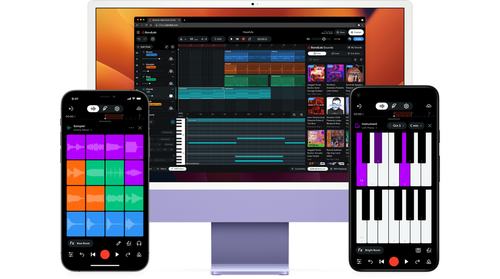
Best Free Online DAW
BandLab
Free · Rating 4.3/5
Price history
We have been recording this product's price at its dealers since July. Player members see the 90-day trend, what it has been at its highest and lowest, and whether today is actually a good day to buy it.
BandLab removes every barrier to making music. Open a browser, click "create," and you're making a song. No installation and no payment, though you will need a free account. The built-in instruments and loops are surprisingly usable, and the collaboration feature lets you work on tracks with friends in real time. It won't replace a desktop DAW for serious production, but it's the fastest path from "I want to try making music" to "I just made a song."
Why it made the list
BandLab removes every barrier to making music. Open a browser, click "create," and you're making a song. No installation and no payment, though you will need a free account. The built-in instruments and loops are surprisingly usable, and the collaboration feature lets you work on tracks with friends in real time, like Google Docs for music. It won't replace a desktop DAW for serious production, but as a zero-friction starting point, nothing comes close. If you're reading this article and wondering whether music production is for you, BandLab answers that question in five minutes.
Deep Dive: Who It's Really For
The ideal buyer: Absolute beginners, students, and collaborative projects. BandLab is the answer to "I want to try making music but I don't want to install anything or spend any money." It runs on any device with a web browser: Chromebook, school computer, old laptop, iPad.
Collaboration is the killer feature: Share a project link with a friend and they can add tracks, edit arrangements, and mix in real time. For bands, school projects, or remote collaborations, this is genuinely useful. No other free DAW does real-time collaboration this well.
When to move on: BandLab is a starting point, not a destination. Once you've confirmed that you enjoy making music, graduate to GarageBand (if you're on Mac), FL Studio, Ableton, or Reaper for deeper tools, third-party plugins, and professional mixing capabilities. But BandLab stays useful; it's great for sketching ideas on the go or sharing demos with collaborators.
▶ Featured Review
Video Reviews & Tutorials
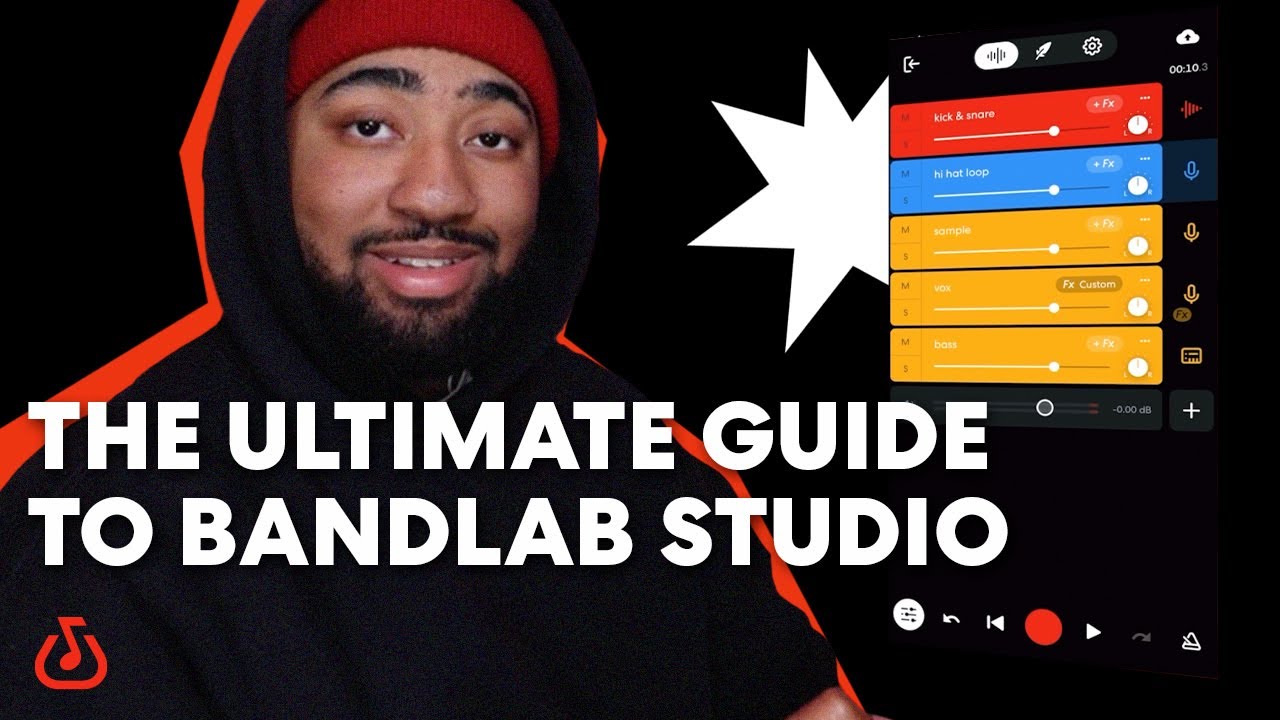
How To Use BandLab Studio | Navigate Our Free DAW With This Detailed BandLab Tutorial
Tutorial
🎵 BandLab Tutorial for Beginners: How to Make Music Online for FREE! 🎶
Tutorial
![BandLab Bootcamp For Beginners [In-Depth BandLab Tutorial]](https://img.youtube.com/vi/TAHn_0Vy-Zg/mqdefault.jpg)
BandLab Bootcamp For Beginners [In-Depth BandLab Tutorial]
Tutorial
Pros
Runs in any web browser (no install) Free tier covers 16 tracks and 15 minutes per song Built-in social sharing Real-time collaboration featuresCons
Requires internet connection Limited mixing tools No third-party plugins Not suitable for professional mixing